
Smart Links - Vercel DevOps for Jira
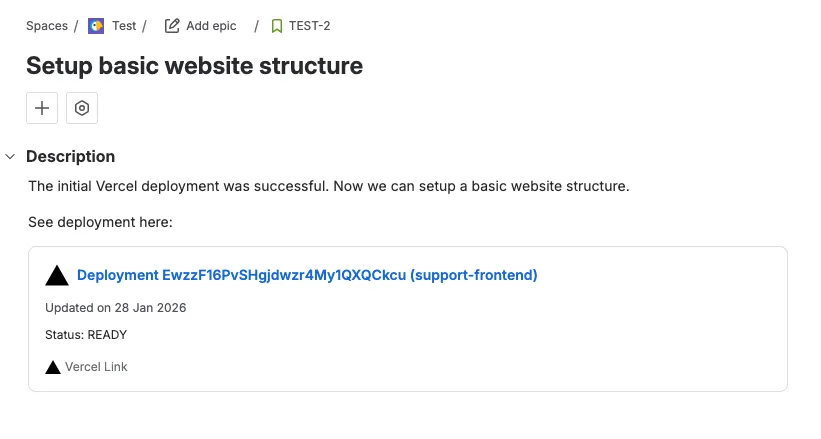
Vercel DevOps for Jira supports Atlassian’s Smart Links for Vercel URLs. When you paste a supported Vercel URL into a Jira issue, comment, or description, Jira renders a rich inline preview instead of a plain link.
Supported URL patterns
Smart Links work with three types of Vercel URLs:
- Team -
https://vercel.com/<team>- Shows team-level information. - Project -
https://vercel.com/<team>/<project>- Shows project-level information. - Deployment -
https://vercel.com/<team>/<project>/<deployment>- Shows deployment-level information.
If you expand the smart link, you can see additional information about the linked resource.
How it works
Simply paste a Vercel URL into any rich text field in Jira. The app automatically resolves the URL and displays a Smart Link with richer inline information about the linked resource.