
How to create a Vercel API token? - Vercel for Compass
Vercel for Compass needs an API token to talk to Vercel’s API. You can create one by following this article.
-
Go to vercel.com and login
-
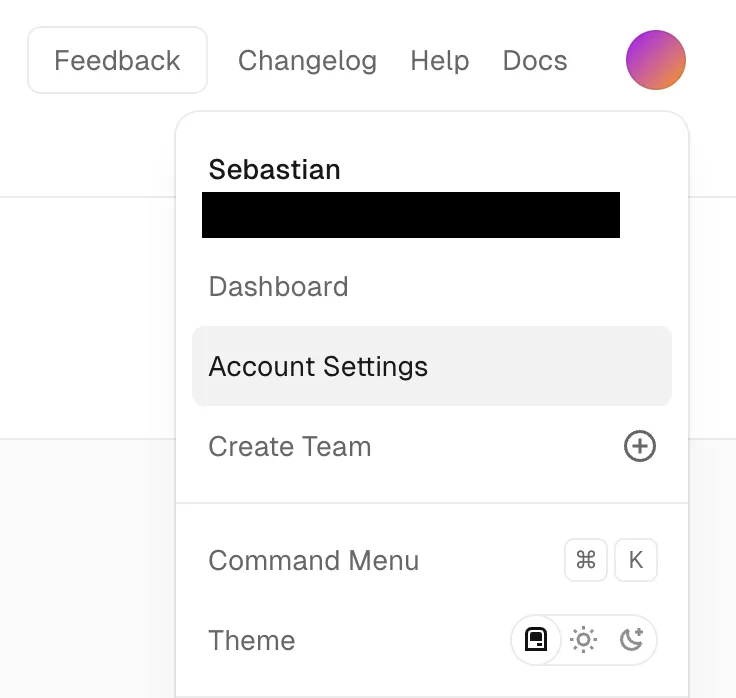
Click on your user icon in the upper right corner and click on Account Settings:
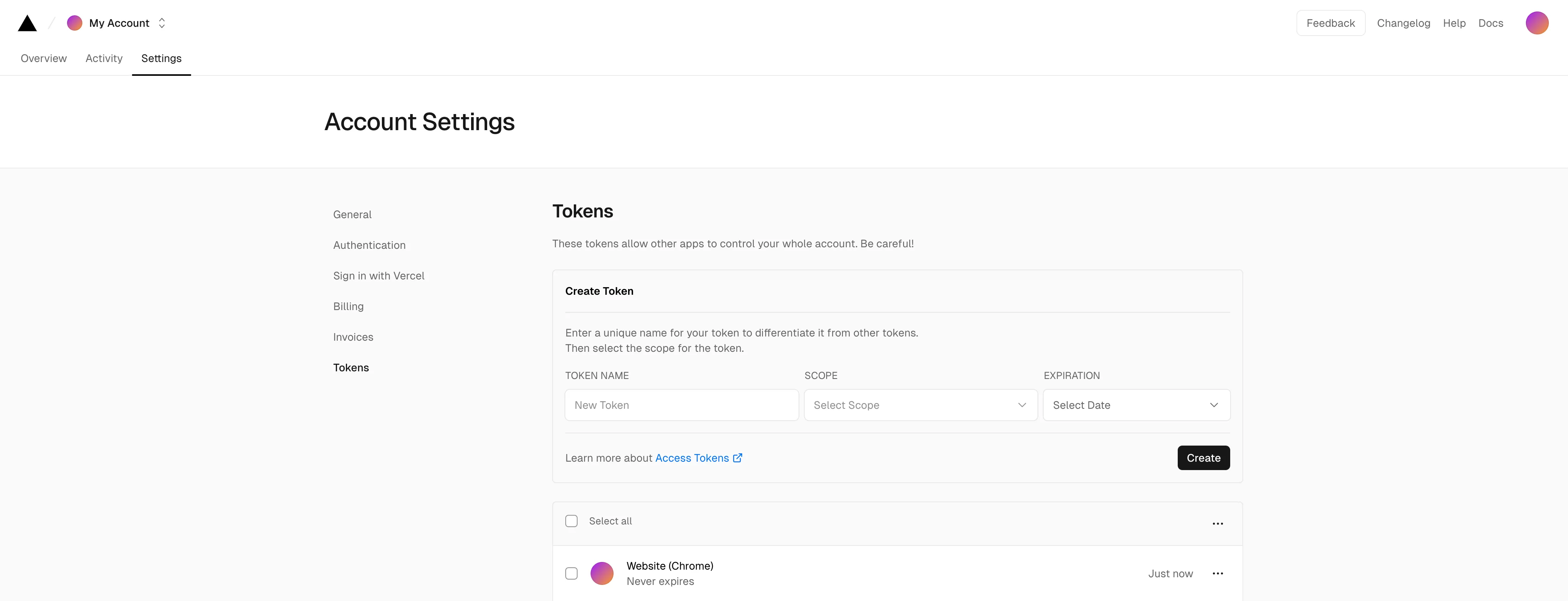
- In the tabs at the top, open “Settings” > “Tokens” and the following page should appear:
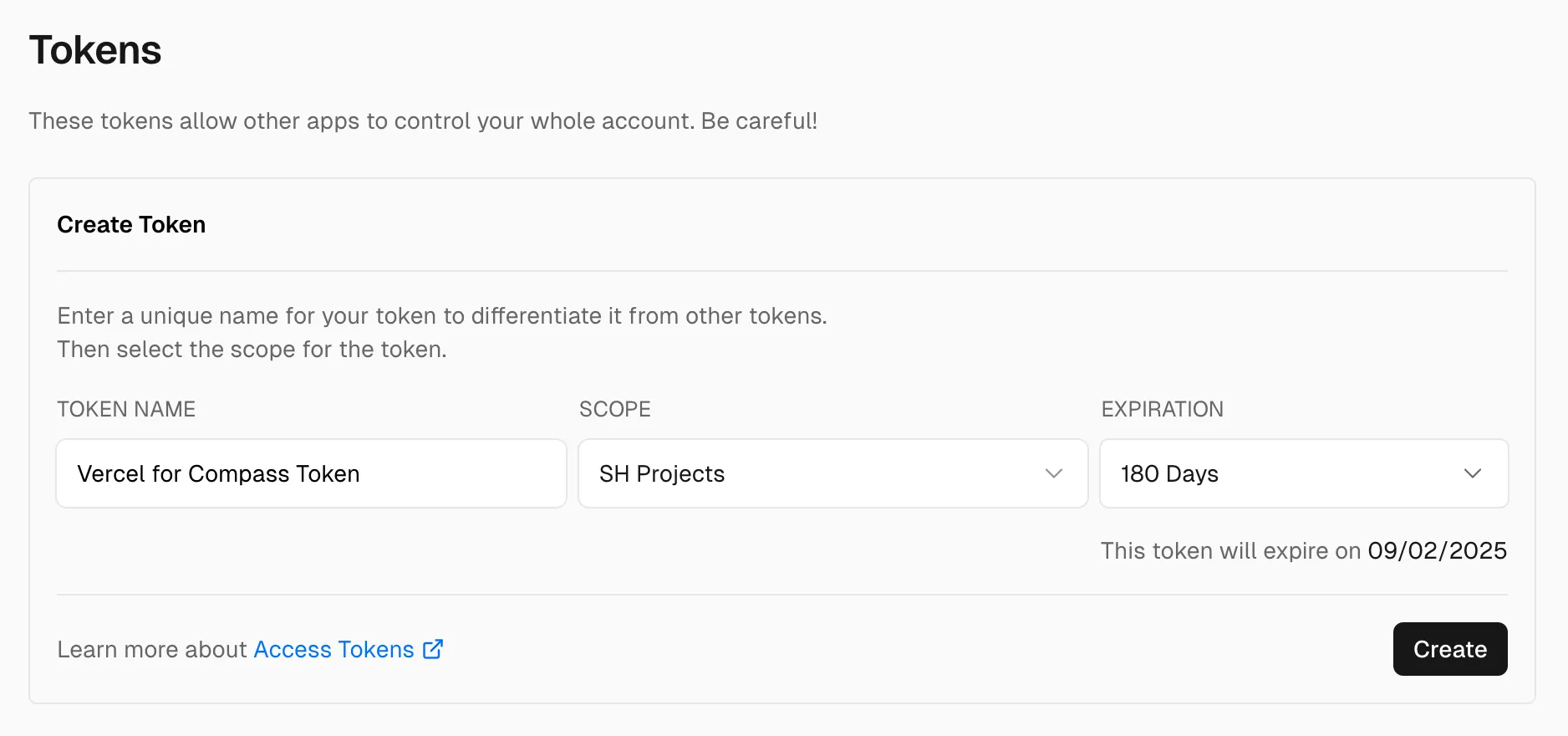
- To create the token, give it a proper name like “Vercel for Compass Token”, select a scope that allows to access the projects you’d like to import later and set an expiration date:
- After clicking “Create”, a dialog appears containing a token:
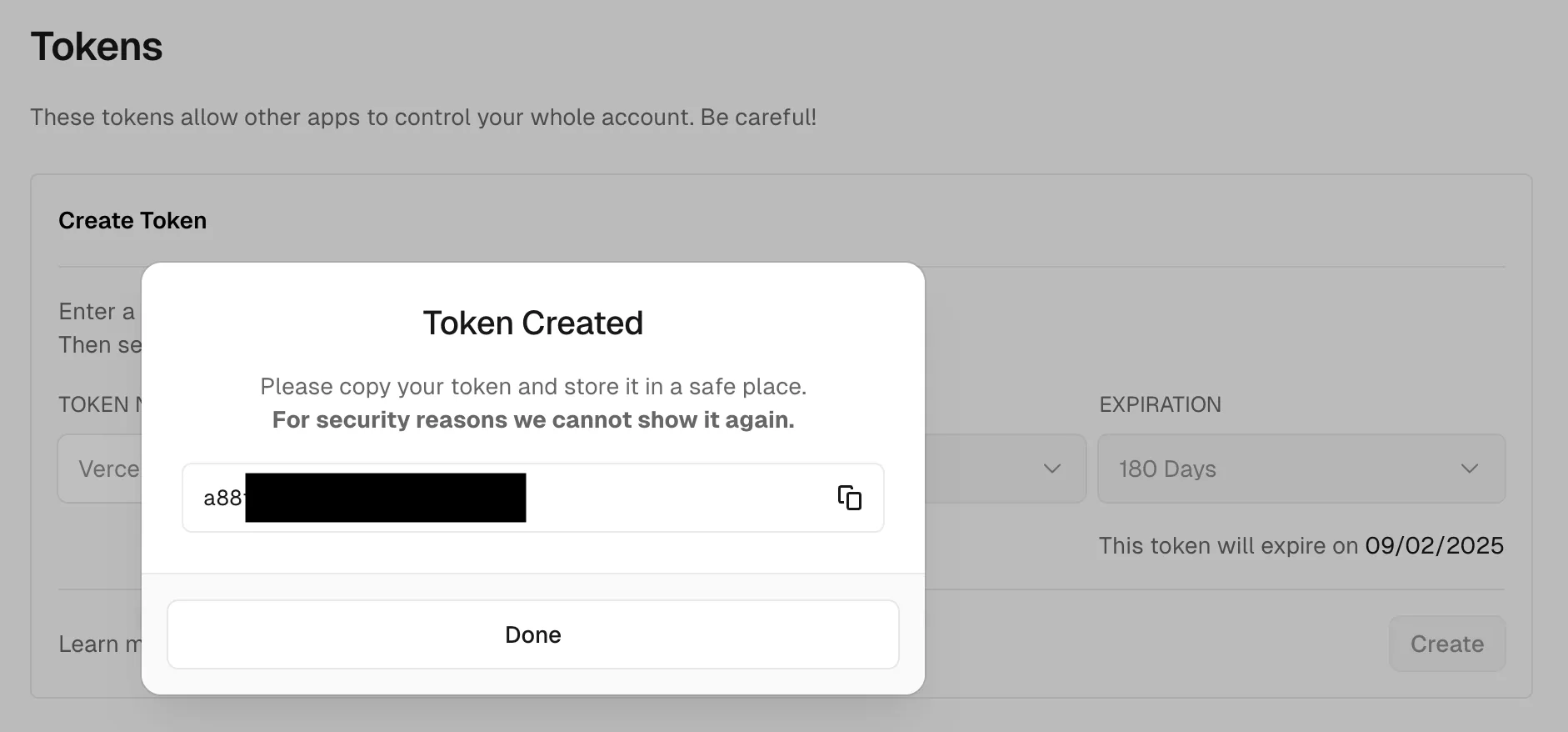
You copy that token and paste it into the token input field in Vercel for Compass (either when opening the app the first time or when opening the settings).