
How to create a Vercel API token? - Vercel DevOps for Jira
Vercel DevOps for Jira needs an API token to talk to Vercel’s API. You can create one by following this article.
-
Go to vercel.com and login
-
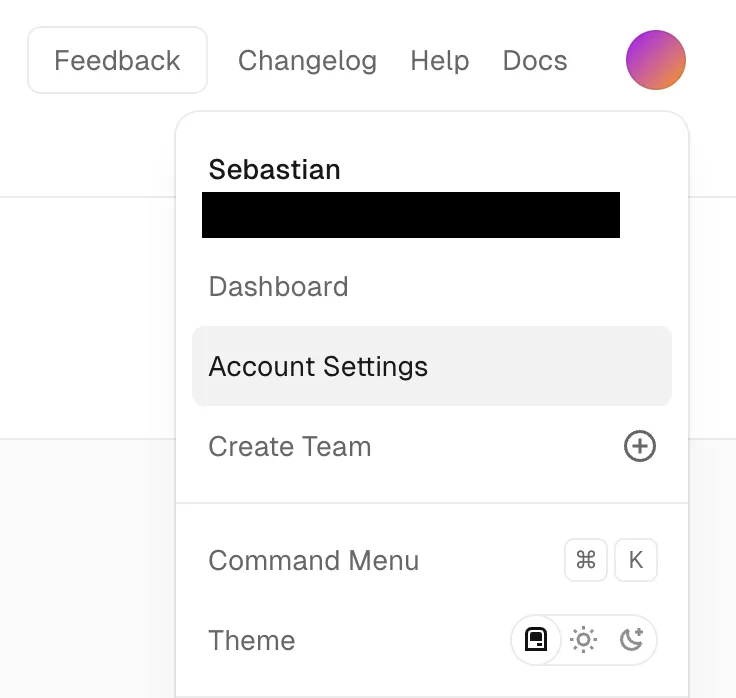
Click on your user icon in the upper right corner and click on Account Settings:
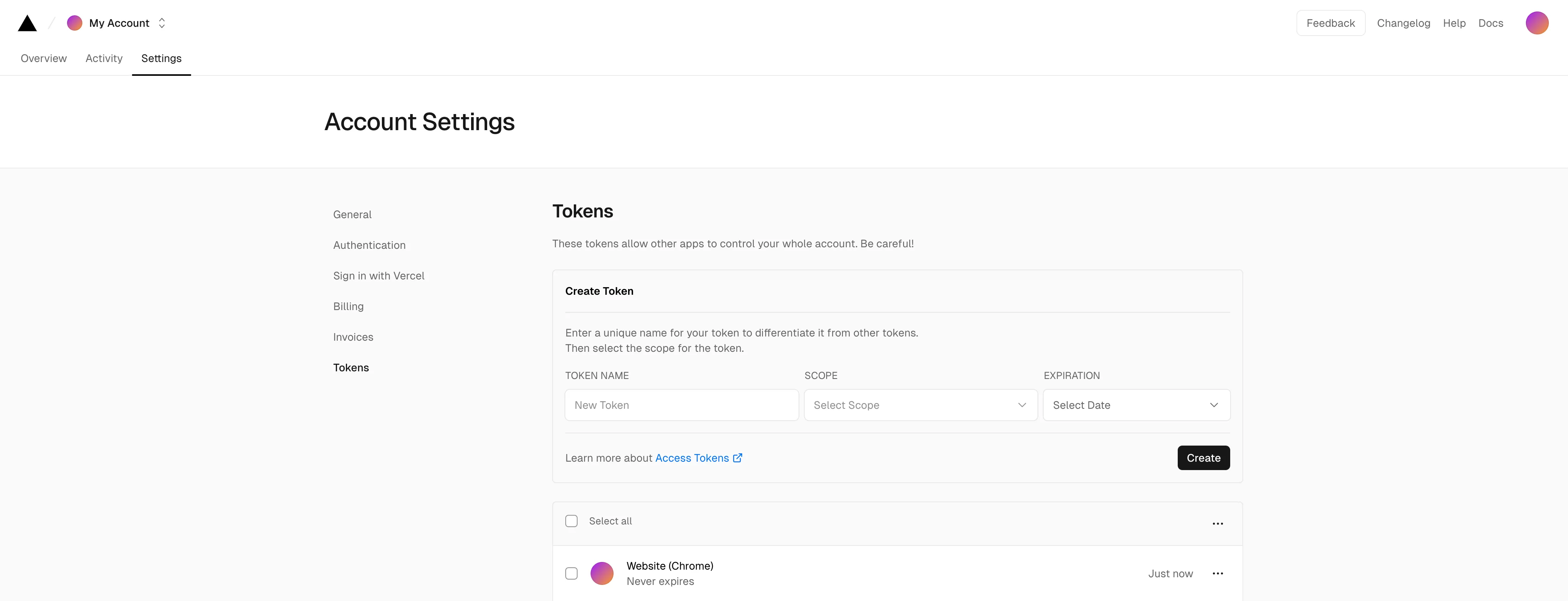
- In the tabs at the top, open “Settings” > “Tokens” and the following page should appear:
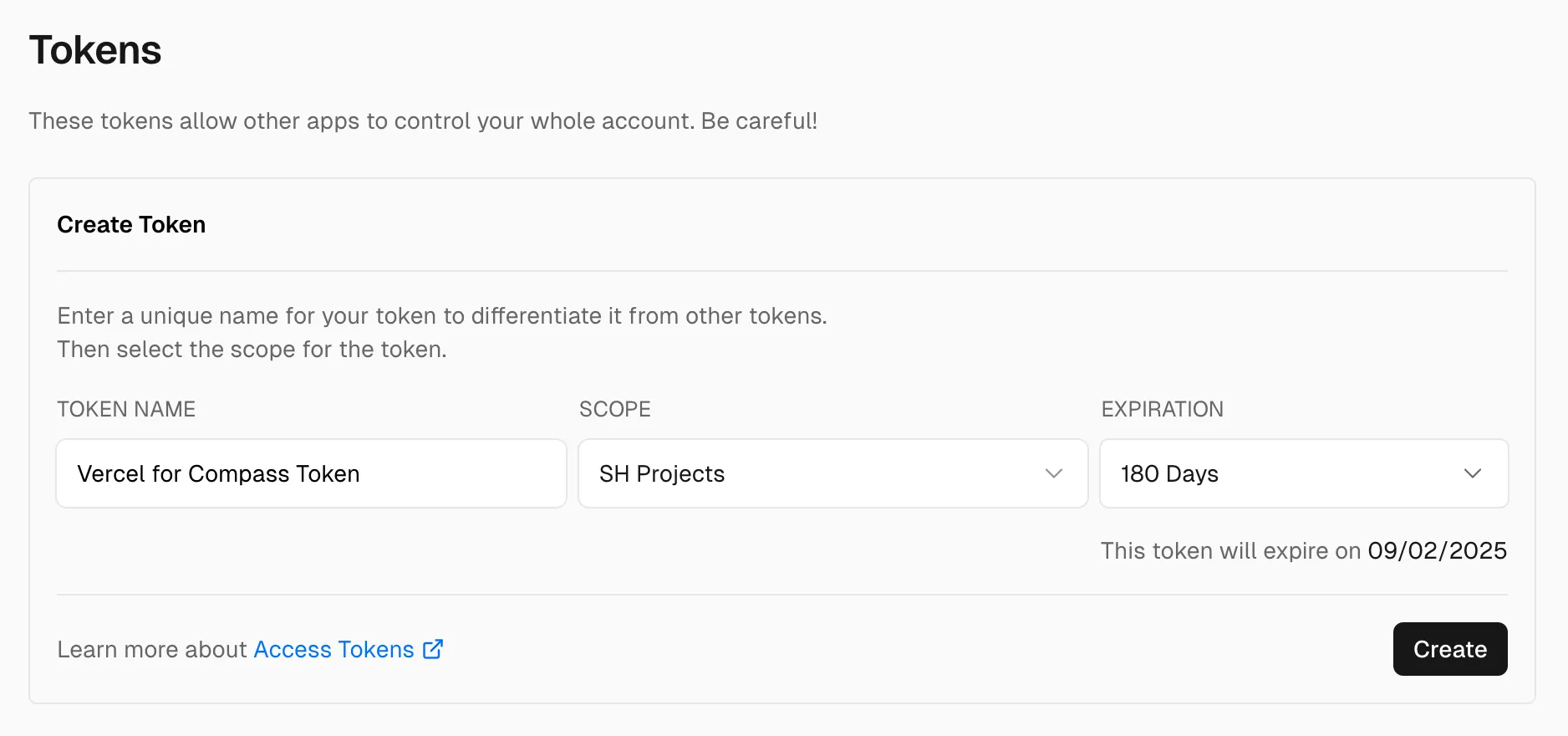
- To create the token, give it a proper name like “Vercel DevOps for Jira Token”, select a scope that allows to access the projects you’d like to connect later and set an expiration date:
- After clicking “Create”, a dialog appears containing a token:
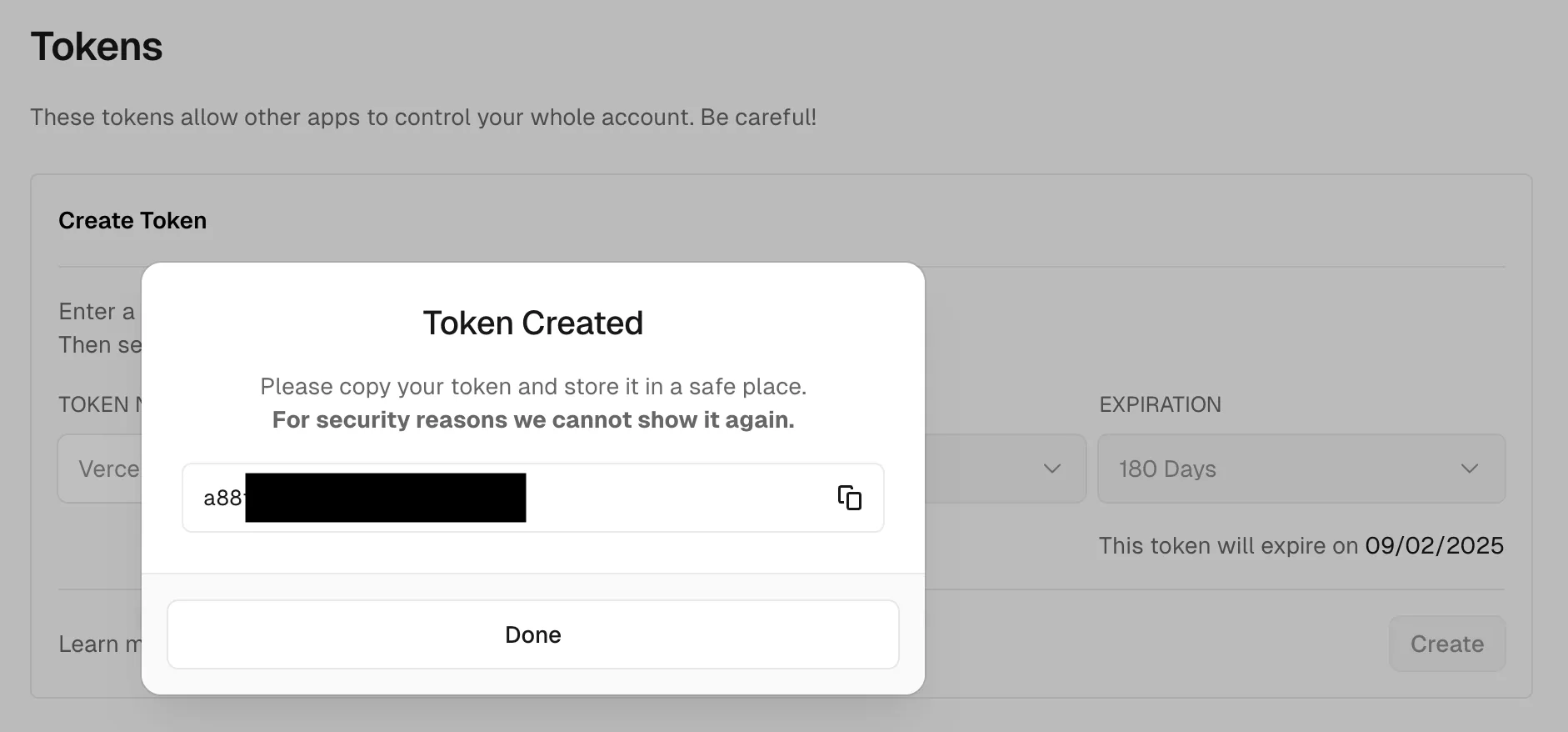
You copy that token and paste it into the token input field in Vercel DevOps for Jira (either when opening the app the first time or when opening the settings). Learn how to configure the API token in Vercel DevOps for Jira.